
Chapter 5 · 5.9
Setting up DMARC
DMARC is the third step after SPF and DKIM. With a DMARC record, you tell receiving servers what to do with mail that claims to come from your domain but fails the SPF or DKIM check. This makes it harder for scammers to send mail in your domain's name. Large providers such as Gmail and Yahoo require senders to have a DMARC record.
The DMARC record at WebOké
A hosting package comes with a DMARC record by default: a TXT record with the name _dmarc and the value v=DMARC1;p=reject. This means mail that fails the check is rejected. This is the strictest setting and offers the best protection against misuse of your domain.
Adjusting the DMARC record
- Open DNS Administration.
- Click the pencil icon next to the TXT record named _dmarc. If there isn't one yet, click ADD RECORD, choose TXT, enter _dmarc as the name, and choose DMARC for TXT Record Type.
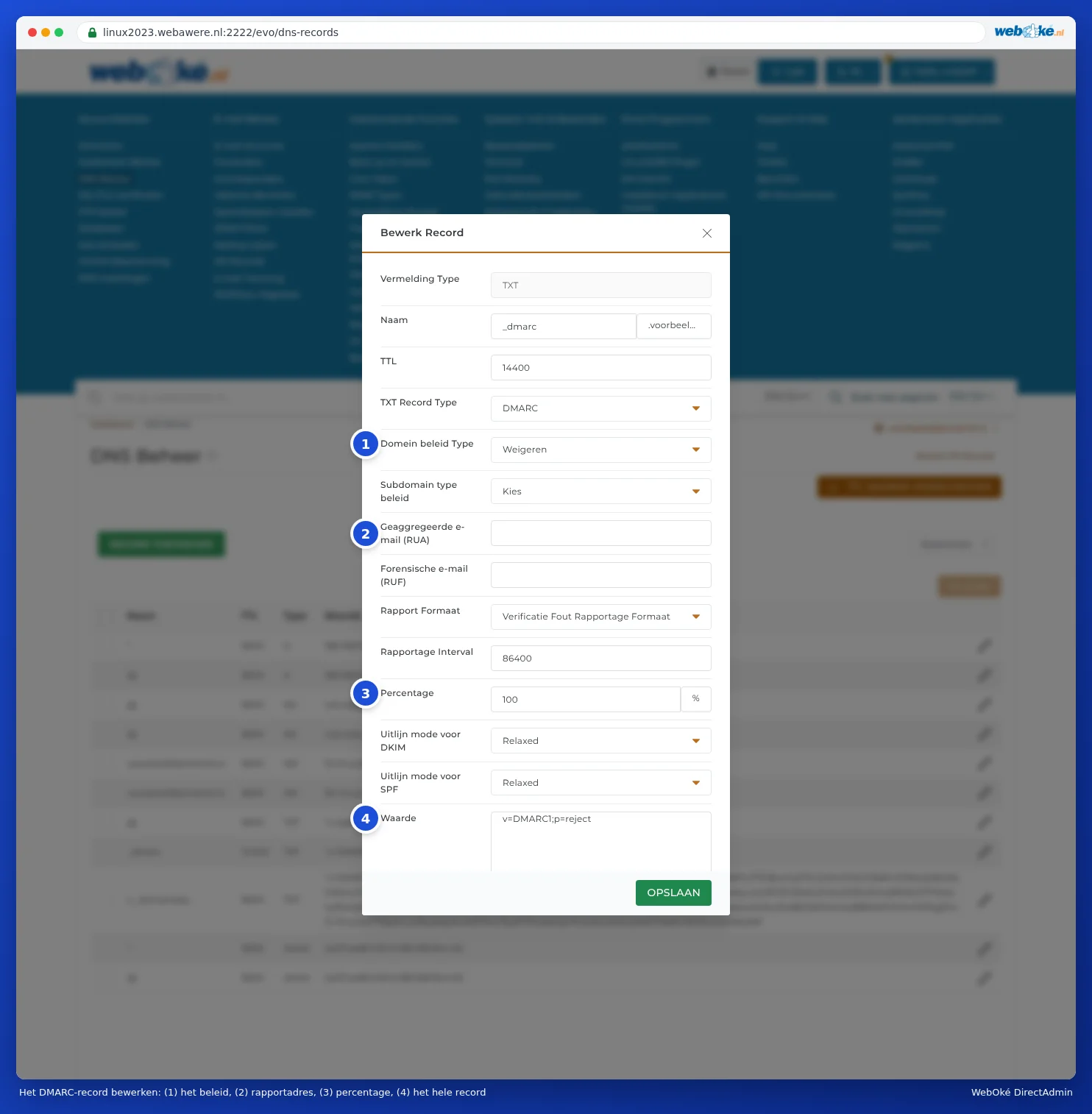
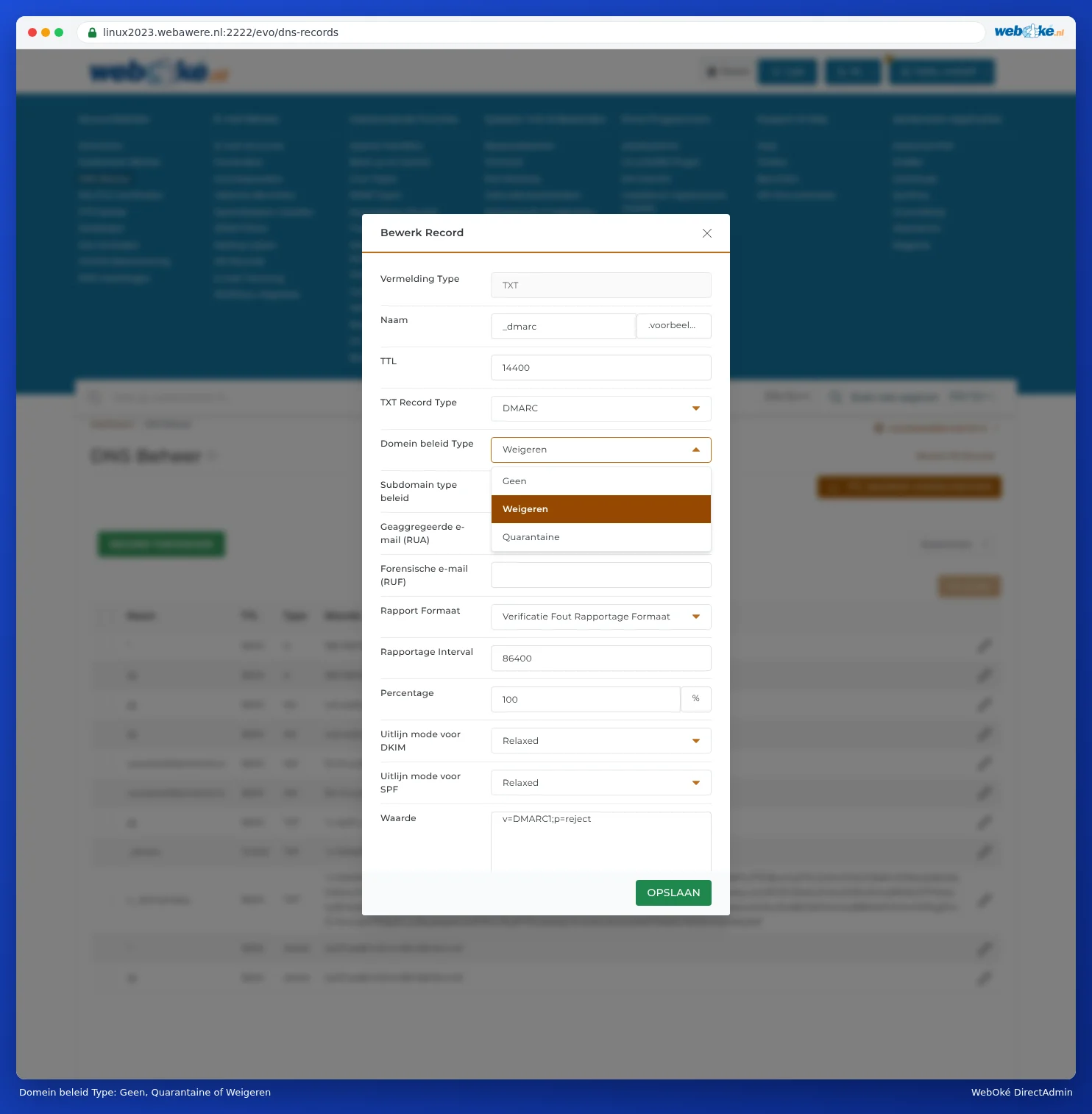
- Choose what should happen to mail that fails the check under Domain policy type.
- Optionally, enter an email address for reports under Aggregate Email (RUA).
- Check how the record will look under Value at the bottom, then save.
Which policy should you choose?
| Domain policy type | In the record | What happens? |
|---|---|---|
| None | p=none | Nothing. Receiving servers only send reports (if you enter an RUA address). Good to start with if you're not sure which services send mail on behalf of your domain. |
| Quarantine | p=quarantine | Mail that fails the check goes to the spam folder. |
| Reject | p=reject | Mail that fails the check is rejected. The default at WebOké. |
Please note: With Quarantine or Reject, it's especially important that your SPF record is correct. If you also send mail through another service (your accounting software, a newsletter service, Microsoft 365), add that service to your SPF record first (see Setting up and adding to SPF) and enable DKIM for that service if possible (see Turning on and checking DKIM). Otherwise, receiving servers will reject mail from that service. If you're not sure, set the policy to None temporarily.
The other fields
- Subdomain policy type: a different policy for subdomains. Leave blank to use the same policy.
- Aggregate Email (RUA): this gives you a daily overview (in XML) of who sent mail on behalf of your domain. Useful for checking, but these are technical files. You can leave this blank.
- Forensic Email (RUF): reports about individual failed messages. Few providers still send these. Leave blank.
- Percentage: what percentage of mail the policy applies to. Leave at 100.
- Alignment mode for DKIM and Alignment mode for SPF: leave set to Relaxed.
Frequently asked questions
I deleted the _dmarc record, but I still see it
Other computers still remember the record until the TTL has passed. For the DMARC record, this is 14400 seconds by default: four hours. So just wait a while (see When does a change take effect? Waiting time and TTL).
Can I have two DMARC records?
No. Just as with SPF, you can only have one DMARC record. Adjust the existing record instead.