Skip to content

Cookie settings

Choose which kinds of cookies you allow. You can change your choice at any time via Cookie settings at the bottom of every page. Privacy statement

Necessary

Always on

Needed to log in, keep your cart and remember your choices. These are always on.

Which cookies?
  • weboke_sessie, weboke_klant, weboke_remember: your session and staying logged in
  • weboke_basket: your cart
  • wkBtwIncl: showing prices with or without VAT
  • wok_cookies: your cookie choice, 12 months

Measures which ad leads to a visit or order, so we do not pay for ads that do nothing.

Which cookies?
  • Google Ads via Google Tag Manager (_gcl_au, _gcl_aw), up to 90 days
  • OpenAI Ads, ads in ChatGPT
  • wok_aff: which partner referred you to us (affiliate programme), 60 days

4.6

Country and language

Each country has its own site, with prices and VAT for that country.

View

Perl Modules and EN-ClamAV

Under System Info & Files and Extra Features you'll find two more sections that you'll rarely need.

Perl Modules

Perl Modules shows a list of all Perl modules installed on the server. Perl is a programming language that used to be widely used for scripts in the cgi-bin folder. If you're using an old Perl script that requires a particular module, you can check here whether it's available.
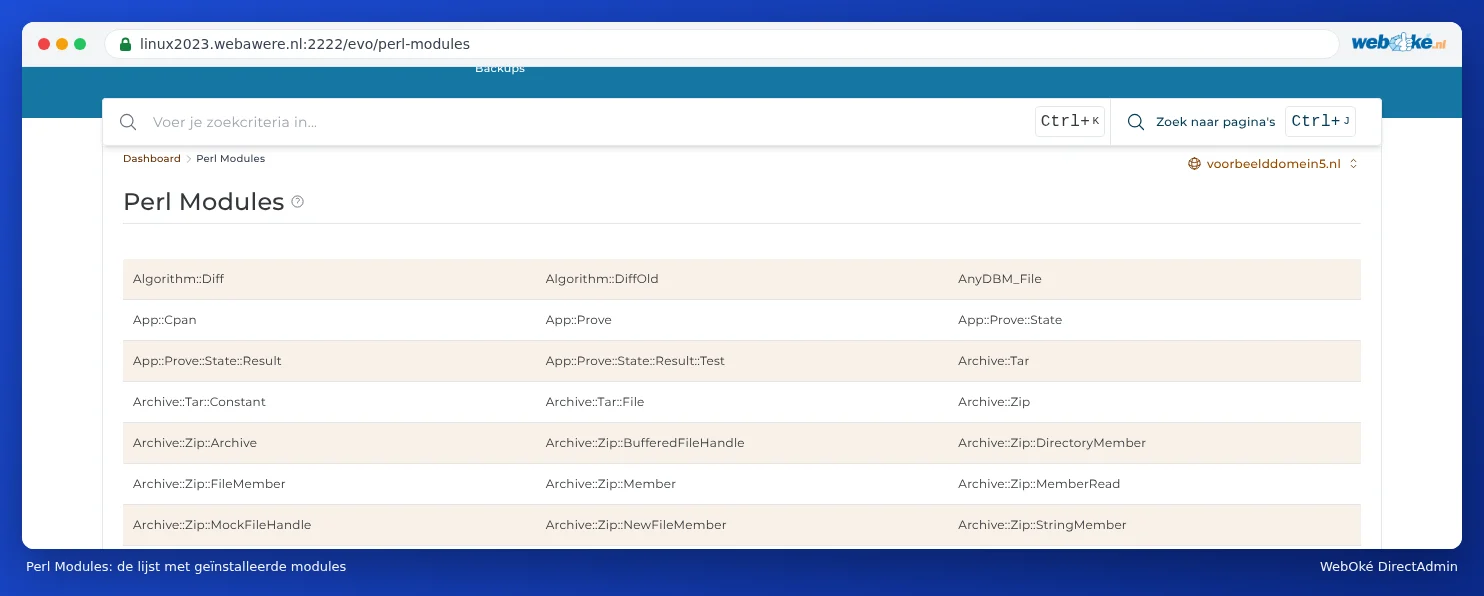
The Perl Modules section with a long list of modules such as Algorithm::Diff, Archive::Zip and CGI
The list of Perl modules on the server

You can only view this list here. You can't install or remove modules yourself. Missing a module you need? Then open a ticket.

EN-ClamAV

EN-ClamAV is an older plugin for scanning files with the ClamAV virus scanner. At the moment, the plugin doesn't work: if you open it, you'll see an error message about the ionCube PHP Loader.

EN-ClamAV with the error message Site error: the ionCube PHP Loader needs to be installed
What you currently see when you open EN-ClamAV

You don't need EN-ClamAV anyway: Imunify360 already scans your package automatically for malware and checks every new file (see Imunify360: scanning your website for malware). So use Imunify360 instead.

Tip: The error message relates to the server, not to your own website. You don't need to enable anything in Select PHP version to fix it.

One moment…

Set up your domains

For each domain, arrange the nameservers, the link to your hosting and who becomes the owner.

Loading your domains…